An executive virtual assistant is not a generalist who happens to work remotely. The role is narrow — protect the executive’s attention, keep commitments from slipping, and absorb the recurring administrative load that otherwise eats the first and last hour of every working day. Below is what that looks like on a normal Tuesday — not a feature list, but the real work.
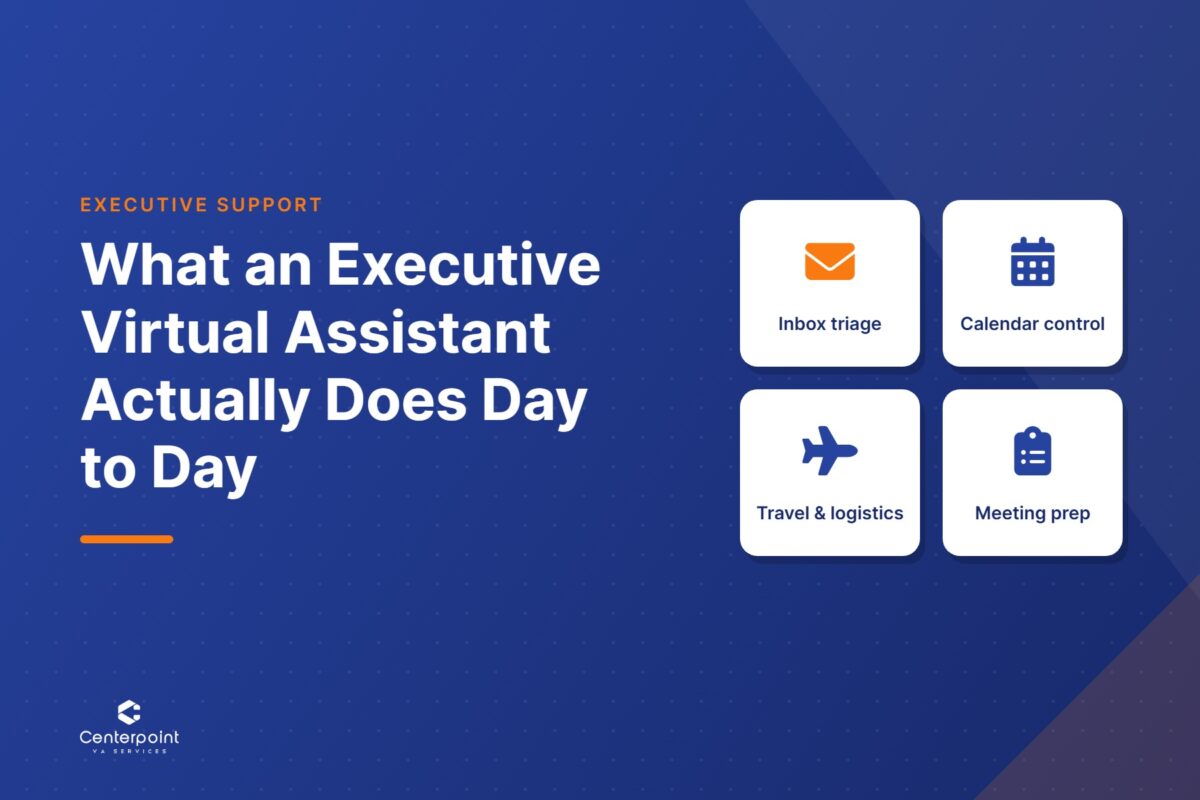
The four blocks of an executive virtual assistant’s day
Almost every executive support engagement reduces to four recurring workstreams. They repeat daily, which is why they are delegable.
Inbox triage
The assistant works the inbox before the executive opens it. Messages get sorted into what needs a decision, what needs a reply the assistant can write, what is a scheduling request, and what is noise. Routine replies go out under an agreed set of templates and a defined tone. Anything involving a commitment, a price, a legal term, or a relationship the executive owns personally gets flagged and left alone. The output is not an empty inbox — it is a short list of items that genuinely need the executive.
Calendar control
Calendar work is less about booking and more about defending. A trained assistant holds focus blocks, keeps buffer between back-to-back calls, batches similar meetings into the same part of the week, and pushes back on requests that do not fit the stated priorities. They also handle the unglamorous parts: time-zone math, reschedules, polite declines, and confirming the day before so no one shows up to an empty room.
Travel and logistics
Travel is booked against documented preferences — airline, seat, hotel radius, car or transit, how much margin to leave before a first meeting. The assistant builds the itinerary, loads confirmations into the calendar, and keeps one document the executive can open on their phone. When a flight moves, the assistant rebooks and notifies everyone affected rather than waiting to be asked.
Meeting prep and follow-through
Before a meeting: an agenda, the relevant documents attached, a short brief on who is attending and what was agreed last time. After: notes circulated, action items assigned with owners and dates, and follow-up so nothing dies in someone’s inbox. This block is the one most often skipped when an executive self-manages — and the one that shows the clearest gain once it is covered.
What the first hour actually looks like
A concrete version, since the abstraction is easy to nod along to and hard to evaluate. The assistant starts a few hours ahead of the executive’s time zone. First pass: overnight email sorted, three routine replies sent, two scheduling requests answered directly, one contract question flagged with the relevant thread linked. Second pass: today’s calendar checked against tomorrow’s — a conflict resolved, a 9:00 call confirmed, an agenda sent to the two attendees who had not received one. Third pass: yesterday’s notes finished, four action items assigned, one chased because it is now two days late. By the time the executive sits down, the day has already been reviewed once and the list in front of them is short.
What an executive virtual assistant should not decide
Scope restraint is what makes the role safe to hand real access to. A well-run engagement draws the line in writing:
- Not theirs: pricing and commercial terms, hiring and personnel decisions, legal commitments, anything representing the executive’s personal position to a client or partner.
- Theirs: scheduling within agreed rules, routine correspondence from approved templates, travel inside documented preferences, chasing action items, and flagging everything above the line rather than guessing at it.
An assistant who escalates too much is in training. An assistant who escalates too little is a risk. The boundary is a document, not a personality trait — which is the same principle behind SOPs and process documentation in any other part of a business.
How the role is set up so it holds
The difference between a hire who saves time and one who creates a second job is almost entirely in the setup. Three things do the work. First, access: shared inbox and calendar permissions, a password manager, and the two or three tools the executive lives in. Second, written preferences — how to handle a meeting request from a stranger, what gets a same-day reply, which travel options are acceptable, who can book directly. Third, a review cadence: a short weekly check in the first month, to correct judgment calls while they are still cheap to correct.
Centerpoint VA Services places Philippines-based assistants with US businesses — agency owners, professional services firms, property management, real estate, and healthcare practices. Executive support is one of several service lines; a broader view of the function sits in our breakdown of what a virtual assistant does, and the structural side is covered in building a lean, scalable VA team. If you want this kind of support, see how our executive virtual assistant services work, or browse the full set of roles on our services page.
Frequently asked questions
What does an executive virtual assistant do day to day?
An executive virtual assistant handles four recurring blocks of work each day: inbox triage (sorting messages, sending routine replies, flagging anything requiring a decision), calendar control (booking, defending focus time, resolving conflicts and time zones), travel and logistics (booking against documented preferences and rebooking when plans change), and meeting prep and follow-through (agendas and briefs beforehand, notes and assigned action items afterward).
How is an executive virtual assistant different from a general virtual assistant?
A general virtual assistant takes assigned tasks. An executive virtual assistant manages a recurring workstream with standing authority inside defined limits — they decide scheduling themselves, write routine correspondence without being asked, and chase open items without a prompt. The work is judgment applied to a documented set of rules, not a task queue.
What access does an executive virtual assistant need?
Typically delegated or shared access to email and calendar, credentials passed through a password manager rather than sent in a message, and accounts in the two or three systems the executive works in daily. Access is granted in stages and narrowed to what the documented scope actually requires.
How long before an executive virtual assistant is actually saving time?
Expect the first two to four weeks to cost time rather than save it, because preferences are being documented and judgment calls are being corrected. The setup work — written rules, staged access, and a short weekly review — is what shortens that period. Skipping it is the most common reason an executive support engagement fails.
Next step
If the four blocks above describe work you are currently doing yourself, a short conversation is the fastest way to find out whether delegating them makes sense.